AVAULTIS In Action
See your video-data lifecycle in one place.
Monitor local and cloud storage, see where recordings reside, and track video as it moves through the AVAULTIS lifecycle.
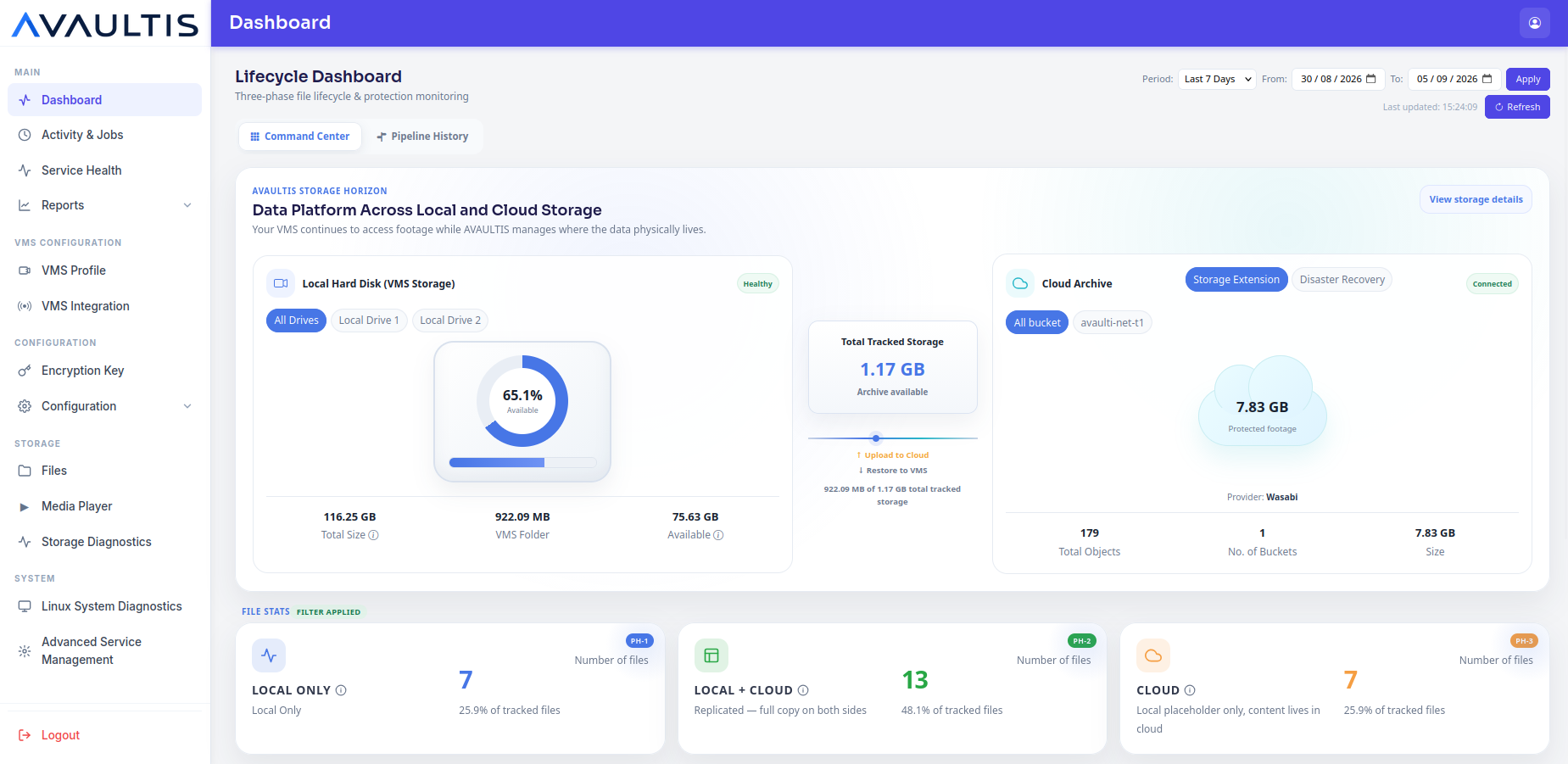
AVAULTIS automatically manages where recorded video resides—moving video between local and cloud storage while keeping historical footage accessible when you need it.
Monitor local and cloud storage, see where recordings reside, and track video as it moves through the AVAULTIS lifecycle.
AVAULTIS extends video retention by moving older recordings to cloud storage according to configured policies while preserving access to historical footage.
AVAULTIS connects directly to the VMS through its APIs and automatically discovers VMS configuration and camera information—eliminating manual VMS and camera inventory setup.
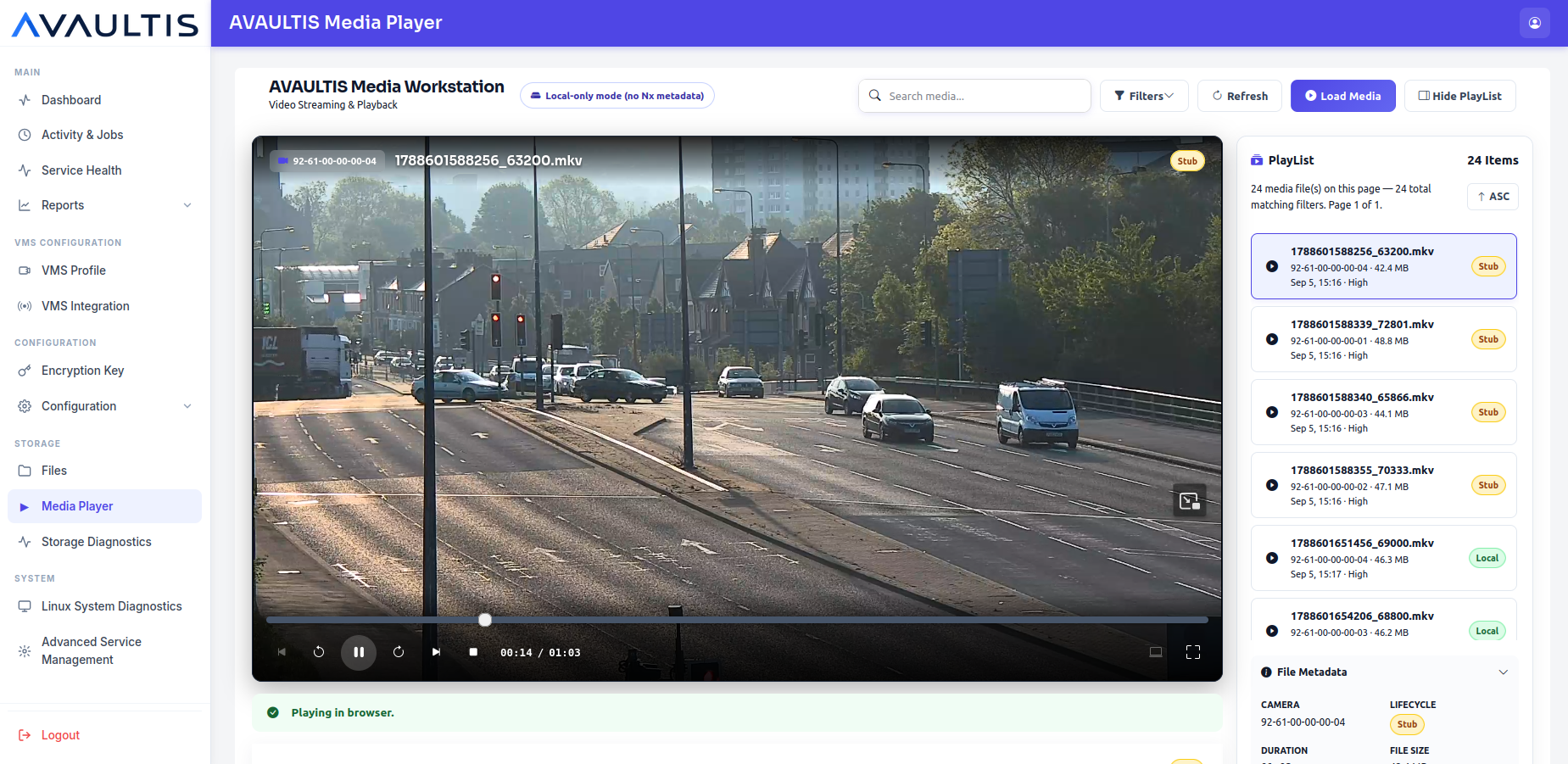
Restore cloud-resident recordings on demand and review historical footage using the built-in AVAULTIS video player or through the supported VMS workflow.
Control replication, local retention, cloud retention, restoration and storage lifecycle through configurable policies.
Automatically replicate recorded video to configured cloud storage according to lifecycle policy and upload settings.
Control when video uploads occur to fit network and operational windows.
Control upload bandwidth to balance AVAULTIS transfers with other network and VMS activity.
Limit simultaneous uploads to manage load on network and storage.
See what's stored, where it resides and how long it will remain.
Browse and locate managed recordings across their AVAULTIS lifecycle states.
Monitor retention, replication and restore activity in one place.
Verify storage connectivity and health at a glance.
Protect AVAULTIS configuration and metadata to support recovery.
Review previously recorded footage directly in AVAULTIS, providing an additional way to review historical video without relying exclusively on the VMS player.
AVAULTIS connects directly to the supported VMS through its APIs and automatically discovers VMS configuration and camera information—eliminating manual VMS and camera inventory entry.
| Category | Currently Supported |
|---|---|
| Operating System | Ubuntu 22.04 LTS · Ubuntu 24.04 LTS |
| VMS | Network Optix / Nx Witness |
| Cloud Storage | AWS S3 · Wasabi |
| Data | Video / VMS recordings |
AVAULTIS can be customized for additional VMS platforms, private infrastructure, cloud providers and storage environments.
Customize AVAULTIS →AVAULTIS connects directly to the VMS to understand the video environment while managing the underlying video-data lifecycle between local and cloud storage.
Direct VMS integration enables AVAULTIS to discover system and camera information automatically rather than requiring manual inventory entry.
AVAULTIS includes a built-in video player, providing an additional way to retrieve and review previously recorded footage without relying exclusively on the VMS player.
Cloud-resident recordings can be restored when needed and reviewed through AVAULTIS as part of the historical-video workflow.
Get the AVAULTIS software and begin deployment in a supported environment.
Download AVAULTIS →Install and connect AVAULTIS to your supported VMS and storage environment.
Installation Instructions →Tell ATRI what you need AVAULTIS to support.
Customize AVAULTIS →